What signers see
The emails, consent, signing page, decline, signed copy and certificate a signer gets, in English or Spanish.
Signers don't need an account or an app. Everything happens in their browser, from a personal link, in English or Spanish.
The language
The document's language (chosen when sending), else your workspace's Signer language, else English. The signing pages and the emails follow it. The certificate of completion and the "Signed electronically by" line on the PDF are in English.
Step by step
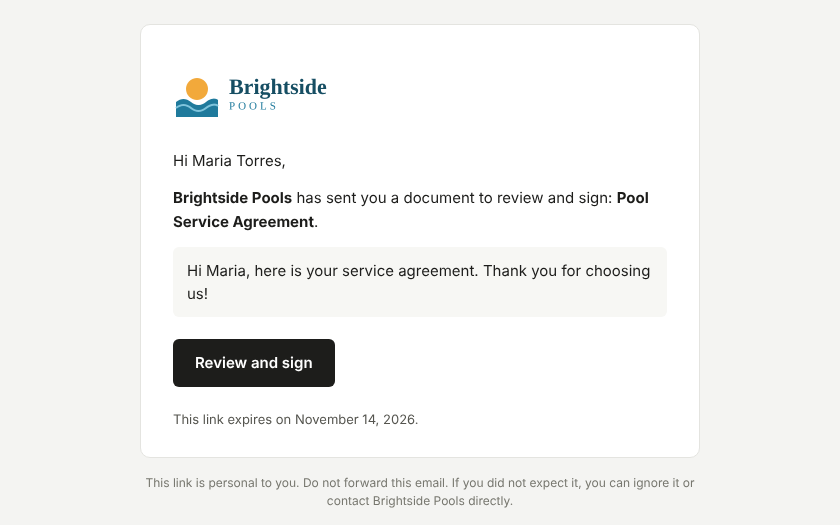
- The invitation email, from your email address: "Your company sent you a document to sign: Title", with your message and a Review and sign button. The link is personal, works until the document expires, and shouldn't be forwarded.
- An access code (only if you asked for it when sending through the API): a 6-digit code by email, valid for 10 minutes, 5 tries.
- Before you sign: the signer reads the disclosure about electronic records and signatures, ticks that they agree and chooses Continue to document.
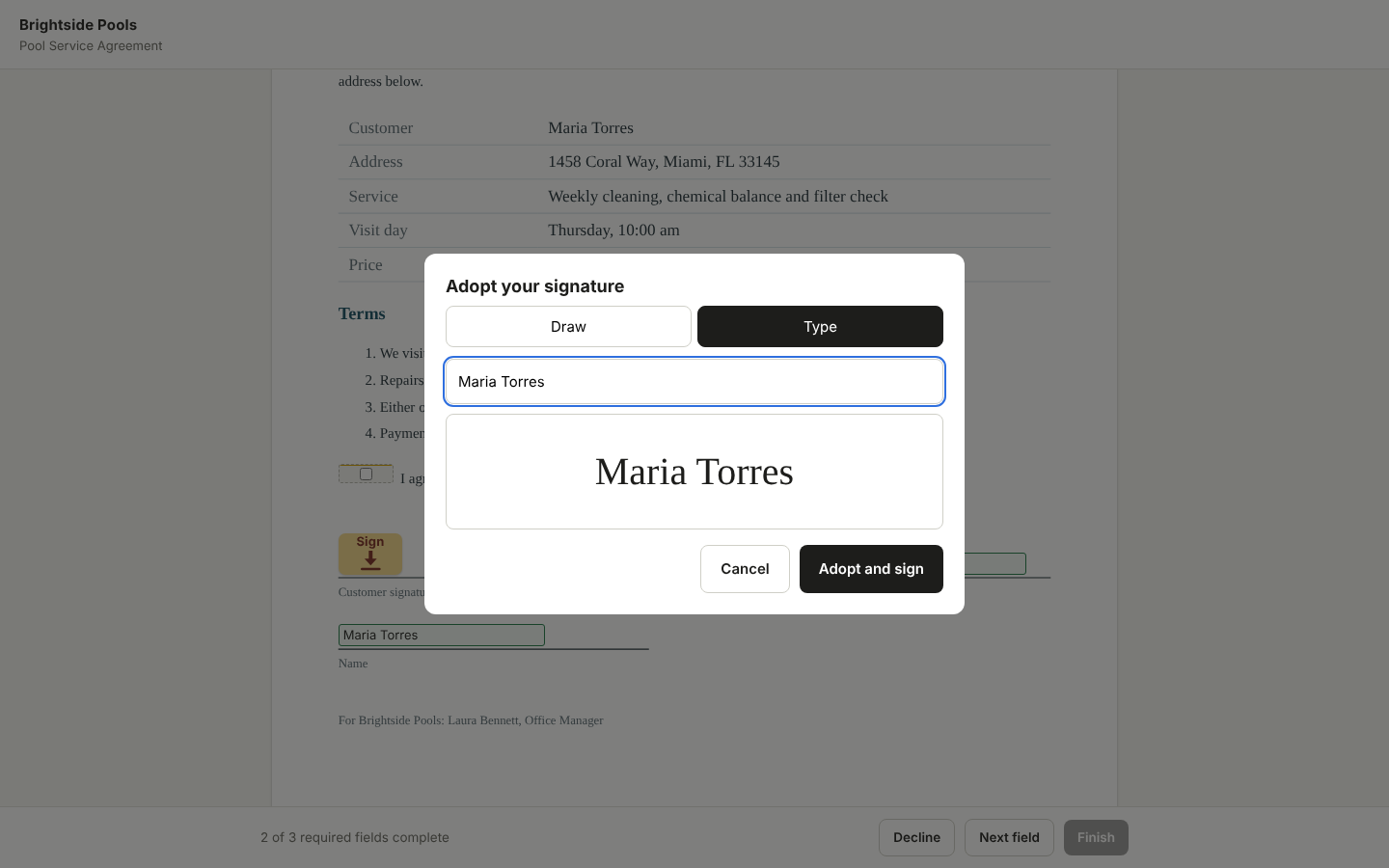
- The document: yellow tags point to each field (Sign, Initial, Text…). Next field jumps to the next one. To sign, they Draw or Type their signature and choose Adopt and sign.
- Finish: they confirm that the signature they adopted is their electronic signature and choose Sign document.
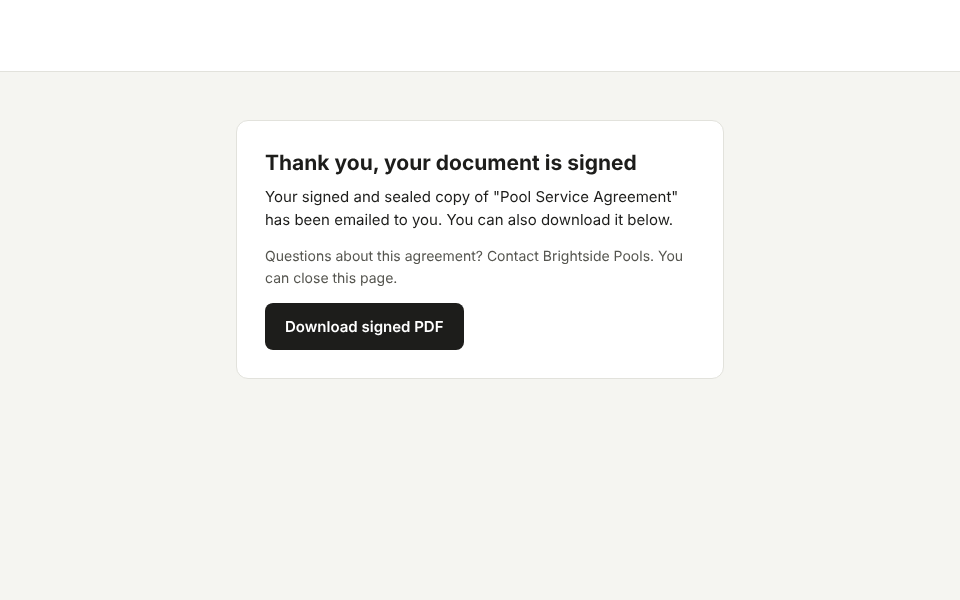
Then they see Thank you, your document is signed with Download signed PDF, or Other parties still need to sign while others haven't. Sealing takes a few seconds; the page refreshes by itself.
Signing order
Signers sign in the order they were given. People with the same order number sign at the same time. Until it's their turn, a signer sees Not your turn yet.
Declining
Decline asks for a reason. The document is then cancelled for everyone and the sender is notified with the reason.
Expiry and lost links
A document expires after 30 days unless another period was chosen when sending (1 to 365 days); the link then shows Link expired. A signer who lost their session can ask for a new one with Email me a new link (up to three an hour).
Note
Reminder emails aren't sent yet.
The signed copy
When everyone has signed, each person gets an email Completed: Title with the sealed PDF attached and its SHA-256 fingerprint. The PDF:
- shows each signature with "Signed electronically by NAME";
- ends with a certificate of completion: the document, envelope id, sender, original fingerprint, and for each signer the identity check, consent time, when they viewed and signed, IP address and device, followed by the full history;
- carries a digital seal with a trusted timestamp, so any change after signing is detectable.